
Configure an agent
Open a company in HQ Console, choose Agents, then open the gear menu for an agent. Saving settings updates the running agent when possible. A change that cannot be applied live is saved for the next start.
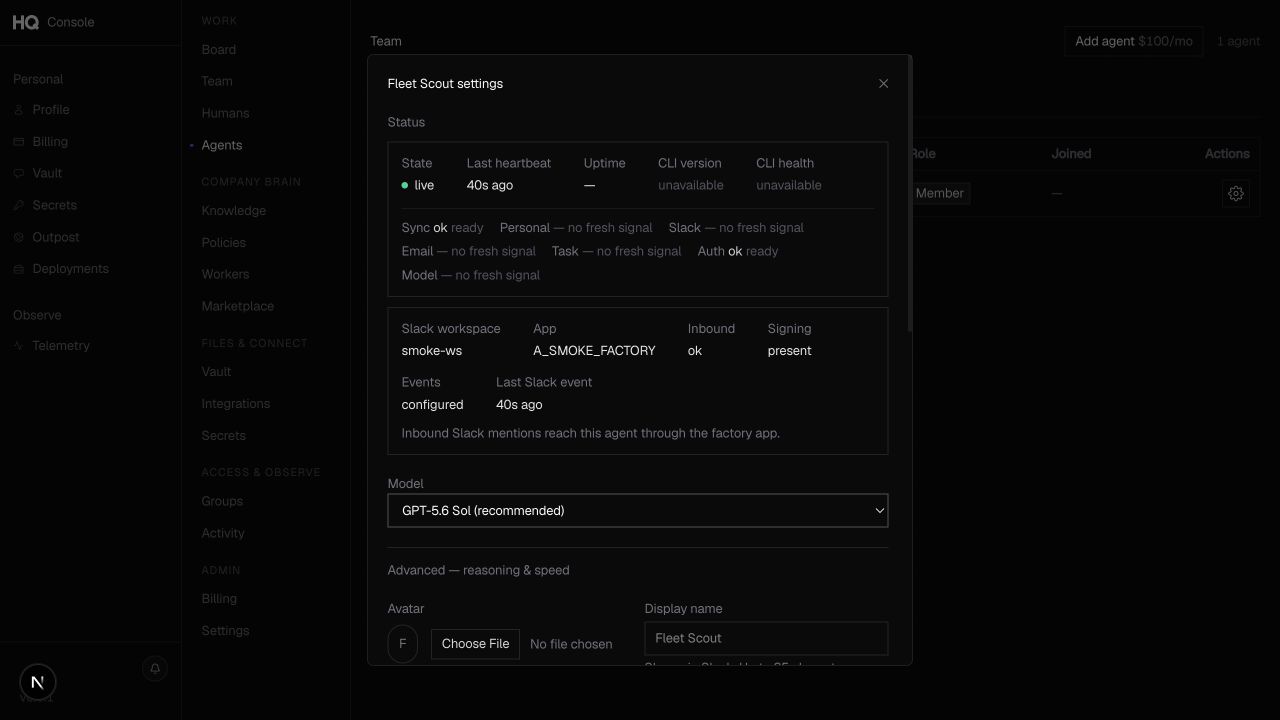
Configuration reference
| Setting | Purpose | Notes |
|---|---|---|
| Handle | Stable agent identifier | Chosen during creation. It is used in company identity, email, and vault paths and is not a normal profile edit. |
| Display name | Human-readable name shown in HQ and connected channels | The Console enforces channel-safe length limits. |
| Avatar | Profile image | HQ validates the image and file size before saving. |
| Title | Short role label | Use a role people can recognize, such as Research Lead. |
| Description | One-line responsibility statement | State what the agent owns and when teammates should contact it. |
| Provider | Runtime family | Selected at creation from the providers enabled for your account. Provider migration is not available in general Agent Settings. |
| Model | Model used for new work | Must be compatible with the provider and authentication method. |
| Reasoning effort | Depth used for supported models | Console values are Low, Medium, High, and Extra high. Grok does not use this setting. |
| Speed | Standard or Fast service tier | Available for supported Codex configurations. Fast can increase provider cost. |
| Membership role | Company permissions granted to the agent | An agent can be a member or admin, but cannot become the company owner. |
| Owners | People responsible for the agent | The creator is the initial owner. Additional ownership is shown only when enabled for the company. |
| Groups | Company groups the agent belongs to | Use groups for organization and policy-driven access. |
| HQ MCP | Agent connection to HQ tools and context | Owners and admins manage it under Integrations > For Agents while the runtime is running. |
| Slack | Slack app connection and diagnostics | Attach, finish a pending install, inspect delivery, or intentionally detach the app. |
| Telegram | Telegram bot connection and caller group | Connect a managed bot or supply a token, then choose who can call it. |
| Runtime controls | Start, stop, reauthenticate, or remove | Removal deprovisions the agent and requires confirmation. |
Model compatibility
HQ validates the model name against the selected provider:
- Codex supports OpenAI model families such as
gpt-*ando*. - Grok supports
grok-*models. - Claude supports Anthropic model families such as
claude-*,sonnet,opus, andhaiku.
The available list is the source of truth for your account. Some models require API-key authentication even when the same provider also supports subscription sign-in. The Console also prevents combinations that the runtime cannot honor. For example, gpt-5.6-sol cannot use Extra high reasoning.
Profile guidance
A useful agent profile answers three questions:
- What does this agent own?
- What requests should teammates send it?
- What should a teammate do when the request is outside its scope?
Keep the title short and make the description operational. Channel users should be able to decide whether to mention the agent without opening HQ Console.
Managed settings
The backend also supports lower-level controls for instance size, autoscaling, caller email allowlists, provider migration, and direct MCP state. These are API or control-plane fields, not standard Agent Settings controls. An invalid value can prevent the runtime from starting or reject channel callers.
Credentials are stored as vault references. Raw provider keys and channel tokens are never returned by the settings API.